

Senior Medical Alert System How To Pick The Right One
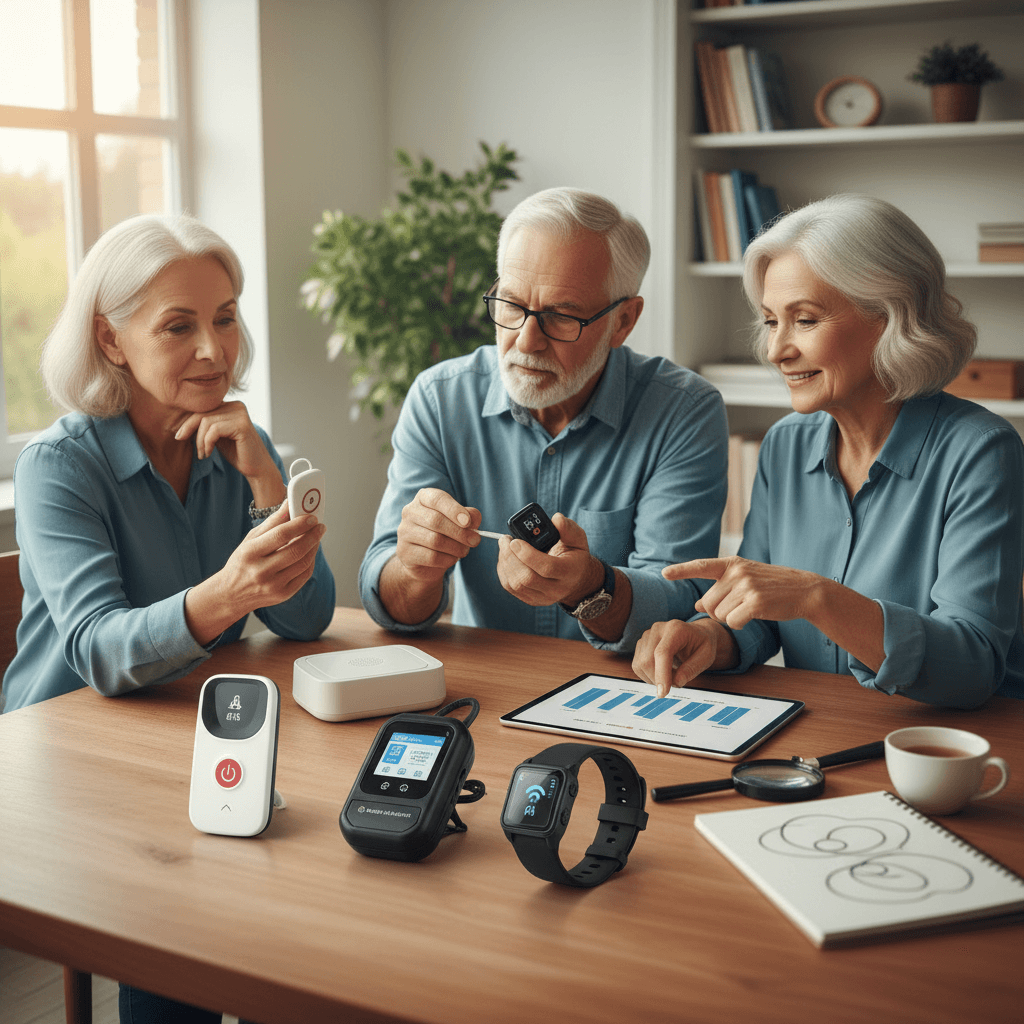
Choosing the right senior medical alert system matters a lot when someone important counts on it. The device has to work flawlessly during emergencies, stay easy to operate, and blend into daily routine without hassle. True stories prove how these gadgets save lives, while handy tips break down options so the best one shines through. People wanting to protect their loved ones get helpful advice here. Dive in to learn how to pick a system that delivers real comfort and peace.
We will cover core features, wearable types, connection choices, monthly and upfront costs, usability tips, and what to read in a contract before signing. Each section gives actionable tips you can apply the same day you start evaluating providers. Read the parts that matter most and use the checklist at the end to lock in a confident pick.
Why a medical alert system matters for older adults
A medical alert system acts as an immediate line to help when an incident happens. Falls, sudden illness, and other urgent situations can happen without warning. A reliable device reduces response time and often makes a difference in outcomes. For example an older adult who wears a device with fall detection may get help faster even when unable to press a button.
Beyond emergencies there are everyday benefits. Having a system can let family members live with less worry while preserving the older adult’s independence. Some devices also keep a record of alerts that can be useful during medical visits. When you choose a system you should balance the safety features with comfort and how often the person will actually wear or carry the device.
Key features to look for in a senior medical alert system
Not all systems offer the same mix of features. Focus on these essentials when comparing products.
- Two way communication to talk directly with a trained responder.
- Reliable battery life that matches daily routines and reduces recharging frequency.
- Clear range or coverage for at home and for on the go options.
- Automatic fall detection if the person is at higher risk of falls.
- Water resistance so the device can be worn in the shower where many falls occur.
Tip for testing features. Ask for a live demo or trial period and simulate a real alert. Check audio quality and how long it takes for a responder to answer. If fall detection triggers false alerts often it may be more nuisance than help. Ask how false alerts are handled and whether you can adjust sensitivity.
Different device types and wearable styles
There are several forms of devices to suit different lifestyles. The most common are pendants, wristbands, and smartphone apps that connect to monitoring centers. Choose a style that the person will consistently wear. Comfort matters more than appearance when it comes to real world use.
Pendants and necklaces
Pendants hang from the neck and are simple to push in an emergency. They tend to be easy to put on and off for dressing. Some older adults find them comfortable and familiar. Watch for small latches that may be hard to operate with limited dexterity.
Wristbands and watches
Devices worn on the wrist look like watches and are useful for people who prefer wearing jewelry. They are often less likely to be removed when moving around the house. Make sure the strap fits well and that charging the band is straightforward for the user or caregiver.
Connectivity and monitoring options
How the device connects to help is a key decision point. Typical choices include cellular based systems, landline dependent systems, and systems that use a smartphone as a bridge to a monitoring center. Each has trade offs.
- Cellular systems provide mobility and do not require a landline. They are good for those who leave home often but check cellular network coverage in the local area.
- Landline systems can be reliable and low cost if the household maintains a stable phone line. They do not work if the person takes the device out of the home.
- Smartphone enabled systems add GPS location for help outside the home and can include extra features. These require the user or caregiver to keep the phone charged and on their person.
Practical tip. If the person lives in a rural area check signal strength. Ask the provider for evidence or user reports from the same ZIP code. A high quality system with poor coverage in your area is not useful.
Costs and payment models to compare
Cost structures vary. Some companies charge an upfront equipment fee plus a monthly monitoring fee. Others include the device cost in the monthly plan. Compare total first year costs and ongoing annual costs. Watch for activation charges and fees for canceling a contract.
- Monthly monitoring fee is the usual ongoing cost. Confirm how billing works and whether discounts apply for yearly payments.
- Upfront device cost can be modest or high depending on hardware and extras like GPS or fall detection.
- Contract length varies. Some providers offer month to month plans. Others require a year or more.
Example comparison approach. Make a simple table on paper listing providers with columns for equipment cost monthly fee contract length and extra charges. Multiply monthly fees by 12 and add any one time costs to see first year expense. Consider long term cost if the person will need the service for several years.
Installation setup and usability tips
Usability determines whether a device will be used during an emergency. A technically advanced unit is pointless if the wearer forgets it or cannot operate it. Look for simple controls and clear status indicators. Ask whether the company helps with setup and whether they have local technicians if in person service is needed.
Daily use and habits
Design a simple routine that makes wearing and charging the device part of daily life. Tie charging to a daily activity such as watching evening television. Keep the charger in a consistent spot. If the device requires testing daily or weekly add that task to the routine as well.
Testing and ongoing checks
Test the device with the provider at least monthly. Run a full alert test and review the call quality and response time. Replace batteries promptly when indicated. If multiple family members are listed as contacts make sure their phone numbers are up to date and that they know the response plan.
How to compare providers and read the fine print
Contracts and service agreements can hide fees or limit liability. Read the terms for response time guarantees and whether the monitoring center conforms to industry standards. Check reviews from real users and look for complaints about billing issues or poor customer service. Ask direct questions about how alerts are escalated and who receives notification first.
Look for a clear cancellation policy. If a provider requires extended notice to stop service that may be problematic if the person no longer needs the device. Also confirm who owns the device after the contract ends and whether there is a return shipping fee.
Senior Medical Alert System How To Pick The Right One final checklist
Use this checklist as you contact providers and test devices. Tick items as you confirm them.
- Device tested with a live alert simulation.
- Coverage confirmed for home area and places the person visits often.
- Battery life matches daily routine and charging is easy.
- Comfortable wearable style selected and fit checked.
- Monitoring fees and contract length clearly understood.
- Procedure for false alerts explained and configurable if needed.
- Emergency contact list reviewed and updated.
- Company reputation checked through independent reviews and consumer reports.
When you have filled the checklist you will likely narrow the list to two or three finalists. Try short term trials if available and pick the option that the older adult actually uses and likes. A device that is worn consistently is better than a feature rich unit that sits on a shelf.
For more background on technical standards and the latest product comparisons you can see more on a helpful resource that covers provider differences and regulatory details in plain language.
Conclusion
Choosing a senior medical alert device comes down to matching real world needs with reliable technology and clear service terms. Focus first on the safety features that matter most for the person you care for and then check comfort and charging habits. Compare coverage options and do a live test before committing. Use the checklist above to compare costs and contract terms and pick a provider that answers questions clearly and allows a trial period.
By prioritizing ease of use reliable connections and transparent billing you will select a system that the person will wear and that will provide timely help when it matters. Take one afternoon to call two providers arrange hands on tests and run the checklist. If you need more in depth comparisons or want a printable checklist use the linked resource for technical notes and sample contract language. Taking action now gives the person you care about a practical layer of protection and reduces stress for the whole family. Make the call or start the trial today and confirm the device works in your environment before relying on it fully.