

What Makes a Medical Alert System Truly Effective
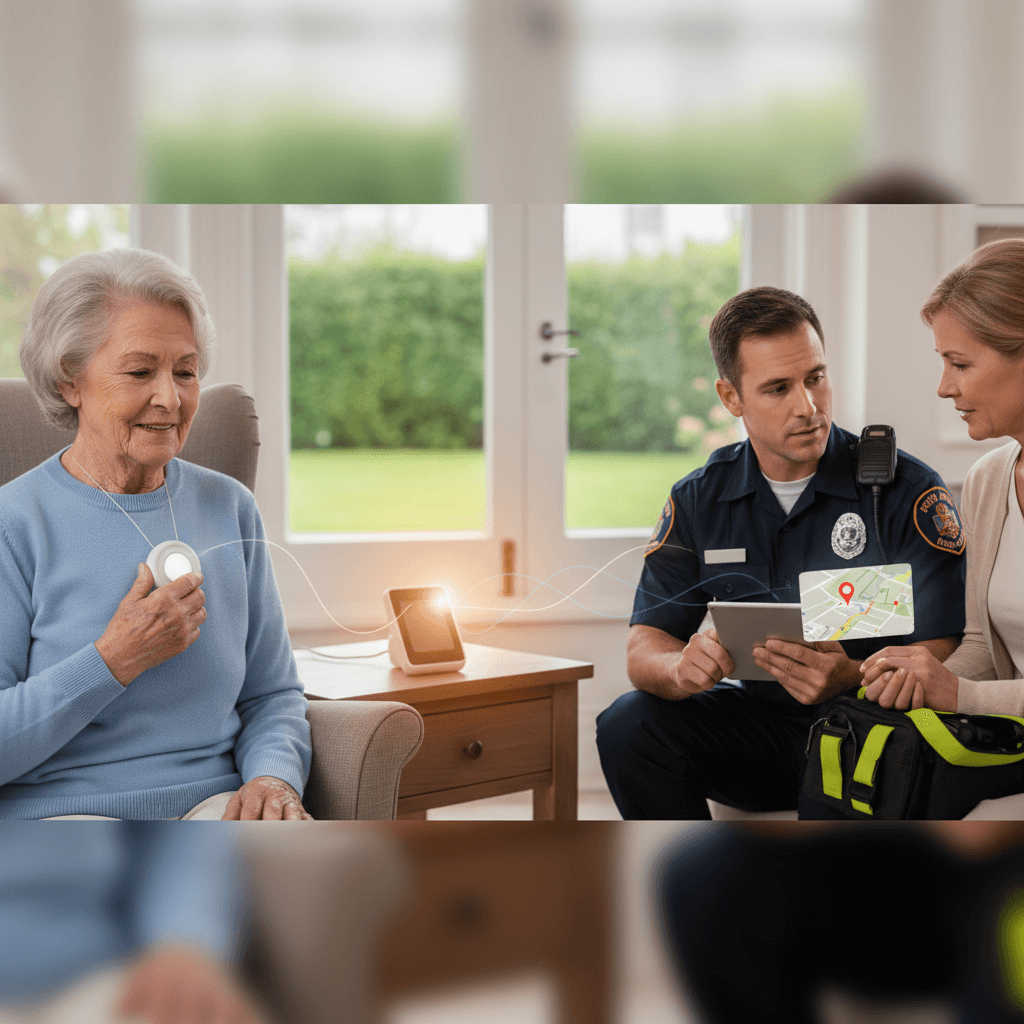
When someone asks What Makes a Medical Alert System Truly Effective the answer is rarely a single feature. An effective system blends technology, human response, and everyday usability so that during a health event the device and the service work together to get help fast. This is about reducing risk for older adults or people with health conditions while keeping independence for daily life.
In this article we break down the key elements that separate a device that looks good on paper from one that reliably serves in an emergency. You will find concrete examples, practical tips for choosing a plan, and advice on what to test once a unit is installed. That way you can compare options with real criteria and feel confident about the choice.
Core Principles That Define What Makes a Medical Alert System Truly Effective
An effective medical alert system solves three basic problems: quick detection of a problem, rapid contact with trained help, and clear information sharing for responders. If any of those pieces is weak the overall system can fail when it matters most. For example, flawless two way voice is useless if the unit lacks accurate location data. Conversely, excellent GPS tracking does not help if the monitoring center cannot get through to the user or first responders.
Think of the system as a chain. Each link matters. Evaluate devices and services with that chain in mind instead of focusing on one flashy spec. Here are specific attributes to look for as you compare models and providers.
Reliable Emergency Response and 24 hour Monitoring
The monitoring center is the human element that decides whether to call a designated contact or emergency services. Look for services that staff trained operators around the clock. When a button is pressed or a fall is detected the operator should be able to speak with the user within seconds and follow a clear escalation plan. Ask providers about average response time and how they handle calls when the primary contact is unreachable.
A real example: when a subscriber fell after a morning walk the alert reached the center, operators attempted voice contact, and when there was no response they notified police and shared the user location. That sequence saved valuable minutes compared with reaching a relative first then calling emergency services.
What to ask the provider
- How are operators trained and how long do they typically take to respond to alerts
- Do they call family members before or after dispatching emergency services
- Is there recorded proof of calls and notification attempts for later review
User Friendly Wearables and Placement
Ease of use matters day to day. If a device is uncomfortable or hard to wear people will leave it off. Effective designs are lightweight, water resistant, and can be worn as a pendant or on the wrist. Multiple wearing options make it easier to keep the device on during activities such as showering or gardening.
Necklace versus wrist device
Neck pendants often remain in place during bathroom activities and are preferred by some older adults because they are easier to press if mobility is limited. Wrist units look like watches and can feel less stigmatizing. Consider which style the user will actually keep on. Real use patterns matter more than product ratings.
Comfort and daily habits
Test devices for at least a week. See how the band or chain feels during sleep, cooking, and personal care. Ask the user whether they notice any skin irritation or interference with clothing. Small usability issues can become reasons the device is removed, and that defeats the whole purpose.
Location Tracking and Clear Communication
Location is essential when a user is away from home. Units with GPS and strong cellular connections reduce the time responders spend searching. Pay attention to GPS performance in urban canyons and inside buildings. Some devices blend GPS with wi fi mapping and cell tower triangulation to improve accuracy in those difficult spots.
Two way voice quality
Voice clarity between the user and the operator can make the difference between a minor event and a serious outcome. Test the device in typical locations where the user spends time. Can the operator hear the user when background noise is present? Is the microphone sensitive enough if the user is weak or lying on the floor? Ask for a live demo over the phone before committing.
Indoor positioning tips
For inside-the-home falls wi fi based location or Bluetooth beacons can improve accuracy. If the service offers this, verify compatibility with the home wi fi and see how the provider handles apartment buildings where signals can be confusing for GPS alone.
Battery Life, Maintenance, and Service Reliability
Devices vary widely in battery performance. Some units require weekly charging while others can run months on a single charge. Consider the user’s routines when choosing a model. A weekly charger may work for someone with strong habits, but for someone with memory issues a long life battery or automatic battery alerts will be safer.
Service reliability includes cellular coverage and company uptime. Confirm the device uses proven network carriers and ask for signal maps in your area. Also check how the provider handles firmware updates and whether those updates interrupt service. Clear instructions for replacing bands, testing batteries, and performing routine checks go a long way toward keeping the system dependable.
Care Network Integration and Family Tools
An effective system makes it simple for caregivers and family to stay informed without overwhelming them with noise. Many services include web or phone portals that display alerts, location history, and device status. These tools let a loved one confirm that a device is online or to check recent events from a smartphone.
For a closer look at how a provider organizes family notifications and monitoring features see how it works. That kind of transparency helps families judge whether the service will match their routines and communication preferences.
Setting up emergency contacts
Have a plan for multiple contacts and local helpers. If the first contact is unreachable the system should escalate to predefined alternates. Make sure the provider allows several contacts and that contact details are easy to update through the user portal or by phone.
Privacy and data access
Ask about data retention and who can access location and call records. Some families want regular activity summaries while others prefer minimal data sharing. Choose a provider that lets you control notification frequency and what details are shared with family members.
Pricing, Contract Terms, and Trial Policies
Price matters, but the cheapest plan may leave gaps in coverage. Compare monthly fees alongside included features such as fall detection, GPS, and the number of allowed contacts. Be wary of long term contracts that include early termination fees. Favor providers that offer a free trial or a clear return window so you can test the system in real life without a long commitment.
Also review replacement and repair policies. If a device fails is there an immediate replacement loaner? How long does warranty service take? Real world reliability means thinking about what happens after purchase when parts wear or a charger is lost.
Final checks and testing before relying on a system
Before you depend on any medical alert service run a few tests with the user and any listed emergency contacts. Simulate a fall alert and confirm that operators can hear the user and that contacts are notified. Test the unit in places the user visits such as nearby stores and healthcare offices. Check battery alerts and how the system reports low power.
Keep a checklist: test voice quality, test location accuracy, test battery alerts, and confirm escalation protocols. If the provider gives documentation for these tests use it to keep records. Regular checks will catch small problems before they become critical.
When deciding what makes a medical alert system truly effective focus on how the device and the service function together in everyday settings and in emergencies. Prioritize fast, trained human response, reliable location information, wearable comfort, clear family tools, and sensible service terms. Test systems in real world conditions and involve the user in the selection and testing process. If you take these steps you will increase the odds that the system will perform when it matters most.
Ready to take the next step Review your top choices, run the test checklist, and reach out to providers with specific questions about response times and coverage in your area. If you have family members involved set up a short meeting to demonstrate how the device works and what to expect during an alert. A clear trial period and documented test results will give you confidence in the final choice. Take action now to protect daily independence and safety with a medical alert option that actually meets real needs.